
Etherchannel could be used to provide redundancy for network links as well as stronger performance by increasing bandwidth.
Control Type: Technical
Control Function: Corrective
Description: An Etherchannel is a Cisco proprietary implementation of Link Aggregation, a strategy that allows combining multiple physical interfaces into a group operating as a single logical interface. Network traffic is then load balanced among each physical link to provide better network performance. This provides redundancy for network links as well as increased bandwidth for better performance. An algorithm is used to determine which traffic should use which physical link. An Etherchannel can have up to 8 physical interfaces per logical link.
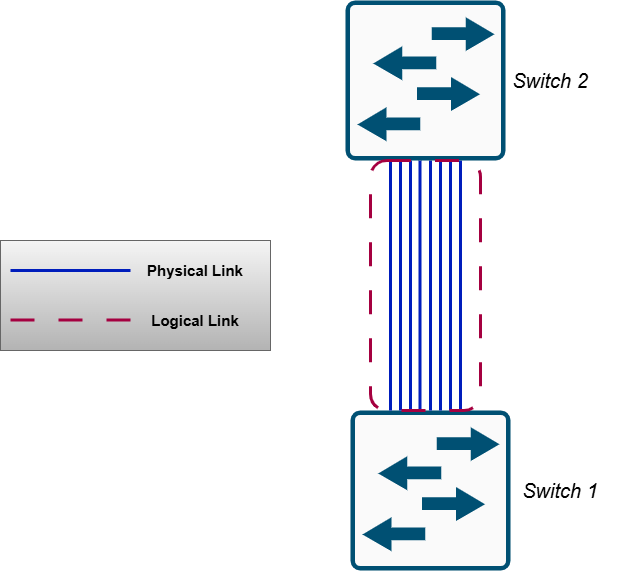
Etherchannels can be configured at Layer 2 or Layer 3:
- LAYER 2 Etherchannels are groups of switchports that operate as a single logical interface.
- LAYER 3 Etherchannels are groups of routed ports that operate as a single logical interface with an IP address assigned to it.
The load balancing in an Etherchannel is done using the concept of flows. A flow is a connection occurring between two nodes in a network. Any frames occurring in the same flow will be sent over the same physical link in the Etherchannel. If the same flow has frames sent over different links, then the session may experience errors as frames arrive out of order. Admins can specify specific inputs to be used for selecting the link to be used for a flow. Inputs include:
- Source MAC Address
- Destination MAC Address
- Source AND Destination MAC Address
- Source IP Address
- Destination IP Address
- Source AND Destination IP Address
There are three ways an Etherchannel can be configured on Cisco switches:
- Port Aggregation Protocol (PAgP): Cisco proprietary; automatically handles creating and maintaining the Etherchannel.
- Link Aggregation Control Protocol (LACP): Industry standard protocol (802.3ad); also automatically handles creating and maintaining the Etherchannel.
- Static Etherchannel: Doesn't use a protocol to automatically create an Etherchannel, instead an admin needs to manually configure the interfaces to partake in the Etherchannel.
When preparing network interfaces for an Etherchannel, admins must ensure that the interface configurations are universal. The following settings must be the same or else the interface will not be allowed in the Etherchannel:
- same duplex (full or half)
- same speed
- same switchport mode (access or trunk)
- same VLANs and Native VLAN for trunk links