Deciding on an operating system is something most people don't put a lot of thought into. People use what they're used to and don't plan on changing it. For most people, the operating system is Microsoft Windows. Windows has dominated the operating system market for decades and shows no signs of losing popularity. However, there is a significant group of macOS loyalists who swear by Apple computers. An even smaller minority is devoted to using Linux operating systems, although the Linux community is slowly growing.
As a small business owner, you are likely using Windows devices for your daily workflows, although there is a chance you are a macOS environment. Many businesses use Linux when hosting their own servers, but rarely use it for desktop experiences. On the other hand, many businesses employ hybrid environments using a combination of different operating systems. Many businesses use iPads or Android tablets for point-of-sale applications. Although not common in business, Google's Chromebooks can sometimes make appearances in Google-native environments. And like previously stated, Linux systems may be in place for hosting on-premises servers.
As part of Stage 2 for this framework, you should stop and take the time to determine if your current operating systems are up to the standards desired in your work environment. A migration of operating systems can be a difficult task for a small business environment, so it is important to look ahead to determine if a migration is going to be a part of your new cybersecurity program. The following paragraphs will serve as a guide towards assessing if your current state is appropriate.
End-of-life & End-of-support
An automatic red flag is the presence of any operating systems that have passed their End of Life or End of Support dates. An end-of-life date marks the point where a vendor will no longer be developing or selling a specific product. For example, when the next version of Windows is released, computers will start shipping with the new Windows instead of Windows 11, which is used right now. Meanwhile, the end of support marks the point where the vendor permanently pulls the plug on the product and stops providing any means of support, like security patches and assistance. As of the start of 2026, Microsoft has ended support for Windows 10, making Windows 11 the only Windows operating system that should be run in your environment. Using operating systems past their end-of-support date means that you are continuing to open systems up to the Internet without any ongoing security assistance from Microsoft. This means the computer security state is frozen in time at the end of the support date. Any new threats that have emerged since then have not been addressed. There have been extremely rare cases where vendors have released emergency patches for systems past their end of support, notably in 2017 when Microsoft released patches for the long-deprecated Windows XP to address the WannaCry ransomware crisis. As a first rule of thumb, ensure that all of the systems in your business environment are running the most recent version of their host operating system. If you have any End-of-life systems, mark them as an early priority for upgrades. If you have any end-of-support systems, mark them as a top priority upgrade.
Appropriate OS Version
When it comes to Windows systems, many users don't realize that there are several different versions to choose from. Windows Professional Edition and Windows Enterprise Edition are the recommended versions of Windows for business environments. Windows Education has most of the same features, but is tailored towards educational institutions. Most small business owners who are in need of computers for work will simply go to the local Walmart or Best Buy, purchase the best-looking Windows computer, and walk out with it. The problem is that many of these computers are running Windows Home Edition. The Home Edition of Windows lacks many of the professional features of Pro and Enterprise. The controls specified in this framework make frequent use of the Pro and Enterprise Windows systems. If you are looking to purchase new systems as part of implementing your new cybersecurity program, ensure that you purchase the Pro or Enterprise versions.
Managing Licenses
Another issue commonly encountered with Windows in business environments involves the management of licenses. Windows needs to be activated using a Product Key that comes in the form of a 25-character string separated by hyphens (e.g., XXXXX-XXXXX-XXXXX-XXXXX-XXXXX). If you have purchased devices directly from manufacturers with Windows included, the product key is embedded in the system BIOS. In this case, Windows is already activated. However, if you purchased OEM licenses from Microsoft for a fresh install of the OS on a system, you will need to enter the 25-character Product Key manually. As part of this framework, you need to ensure any licenses for any operating system are kept and stored in the Software Asset Inventory created in Stage 1. If you have OEM copies of Windows, this involves adding a row for each license in the inventory and making sure you note the OS version, the key itself, and what device it is installed on. Microsoft also offers Volume Licensing via Microsoft 365. A volume license is a specific license sold specifically to businesses to activate a large number of Windows endpoints in their environments with a single key. A price is paid by business management for a license that is good for an agreed-upon number of devices, rather than making the business management purchase separate licenses for each device and having to juggle all of them. Implementing Volume Licensing is often complex and can be confusing for some. Ultimately, it is up to you to decide on how you want to go about licensing your systems. Businesses with just a few consumer devices likely don't have to do anything except regularly install updates. However business with ten or more users/devices will likely run into a more complicated licensing scenario.
Considering Linux for the Workplace
Microsoft Windows has long been the crowned king of the operating system market. Most business networks utilize Microsoft Windows systems for their workstation deployments. This is unlikely to change anytime soon, as most of the business software is built with the assumption that it will be deployed on Linux systems.
In the last few years, there has been small but growing discontent with the direction Microsoft Windows is going. The accumulation of unnecessary programs, the integration of AI features, and privacy concerns have made some users unhappy with the operating system.
Large enterprises are unlikely to make a change away from Windows networks. However small businesses, especially those with just a handful of employees, can switch to a different, and arguably better operating system.
Linux is a free and open-source kernel with a wide range of different operating systems called “distros” based on it. Ubuntu, Mint, Debian, Manjaro, and Fedora are all some of the most popular distros. Because Linux is free and open source, the privacy concerns of Windows are negated. Linux also lacks many of the intrusive programs and features of Linux. As a result, many users will find that Linux installations run much faster and smoother than Windows workstations. Since Linux is free, your business can cut the cost of having to purchase Windows licenses.
Linux is known for being less resource intensive than Windows. As a result, it can run smoothly on older hardware. Windows 10 reached its end of support on October 14, 2025, meaning all users must upgrade to Windows 11 to receive key security patches. Windows 11 has strict hardware requirements including UEFI Secure Boot, a TPM, and 4GB of RAM. Users with hardware that does not meet these requirements are faced with the need to buy a new machine. If you want to cut funds or find yourself unable to afford new devices for your business, you can keep the old hardware and deploy a Linux distro.
Some sources attempt to fearmonger about Linux. They may say that it is difficult to install or that you need to have command line knowledge. Linux does delegate more control to the user, which can be confusing for some. However, many mainstream Linux distros are just as easy to install and use as Windows. They also include a regular App Store for installing applications without using the command line.
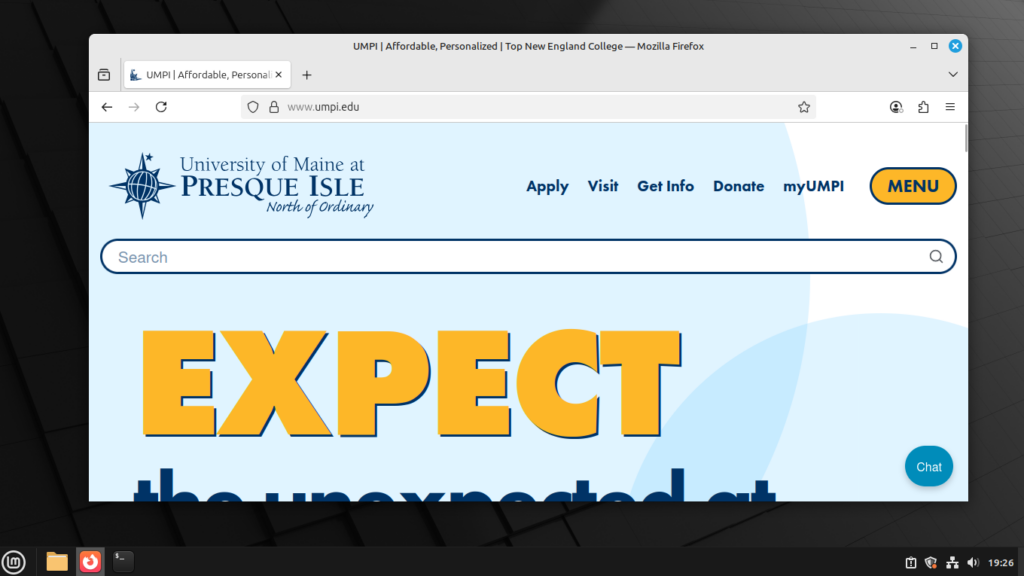
Ubuntu and Linux Mint are the two distros that I would recommend for business use. They are regularly updated and have large community support. They also have very simple interfaces, with Linux Mint resembling the typical Windows interface. Applications can be a hit or miss. Many popular software programs have published Linux versions, but much specialized software still lacks a Linux version. Make sure to document the software required for your business operations and see if Linux versions exist before you go about switching. Linux is a great choice for those who only need word processing and a web browser to connect to websites and cloud applications.