
Updating the operating systems on your workplace devices is only part of the job when it comes to implementing a stable patching policy. The physical components of your workplace devices have special programs called firmware embedded into them. Firmware is responsible for the low-level control over how components function and communicate. Since firmware controls vital hardware components, it can be an enticing target to threat actors looking to launch advanced attacks on your infrastructure. Malware embedded in firmware is often hard to detect. Attackers may target firmware to secretly embed a persistence mechanism.
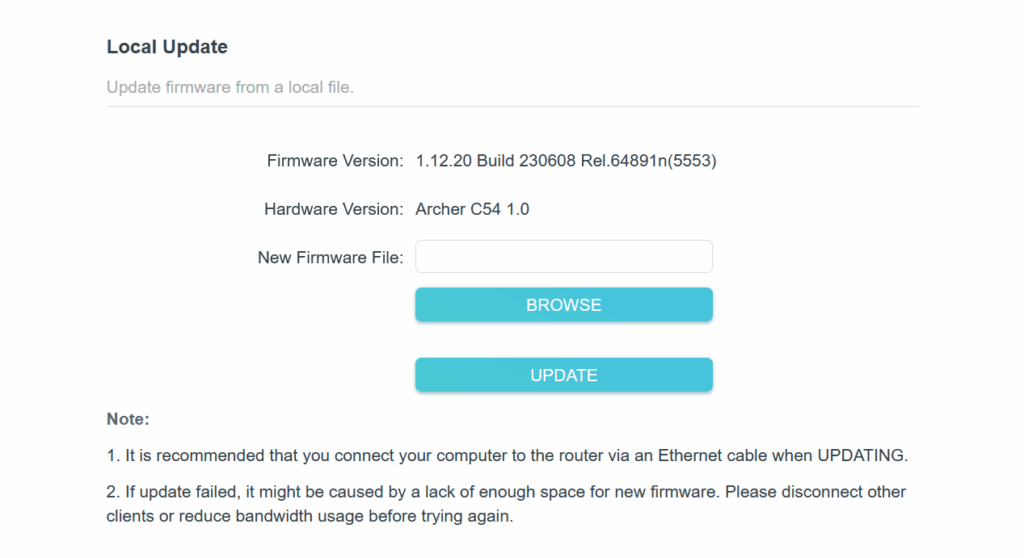
Firmware is regularly updated by vendors for the same purposes as operating system and application updates. For network devices like routers, you can usually find the firmware updates on the vendor's website. After downloading the update file, you will have to log into your router configuration page and find the section to drag and drop the update file. On the other hand, system UEFI/BIOS firmware updates often require you to copy the update file to a USB device and manually enter the BIOS settings to select the file and begin the update.
Updating firmware for personal computers is less difficult. All major PC vendors generally provide a type of "Support Assistant" that scans your computer and automatically finds and installs updates, just like an operating system update utility. This special utility may even include UEFI/BIOS updates, eliminating the need for you to perform the manual update method. A Support Assistant may be provided as either a desktop application or a website that detects your system details.
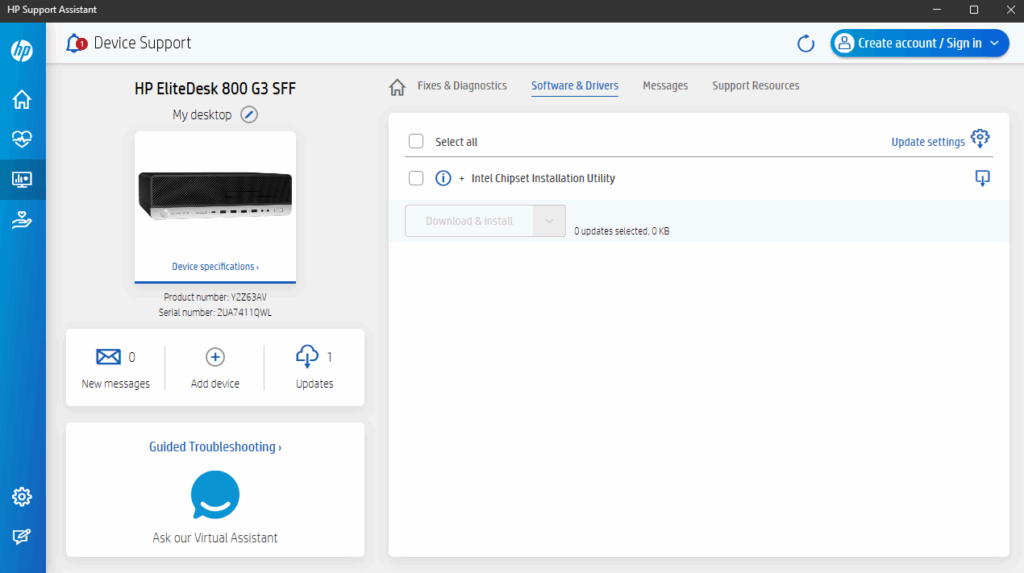
Listed below are the most common vendor Support Assistant tools:
- HP SupportAssist
- Dell SupportAssist
- Lenovo System Update
- ASUS Download Center
- Acer Support Drivers & Manuals
Firmware updates are typically released on a much less frequent basis than operating system and application patches. Make sure you find out when the newest firmware updates are released by your vendors and apply them as soon as possible. You must schedule proper maintenance windows for firmware updates. If a firmware update, especially one to the system BIOS, is interrupted, it can render the system unusable due to damage done to the components. Make sure a backup solution is handy for the selected devices before performing any updates.