
Before you can determine what security resources to implement, you need to identify where security is lacking the most in your organization. There may be some pieces of infrastructure that you are confident in yet possess severe vulnerabilities underneath the surface. Using a collection of freeware tools, you can perform some basic security scans across your business network.
Malwarebytes is a reputable malware scanner that is designed to assist existing, real-time antimalware software like Windows Defender. Malwarebytes is famous for its free version, but if you are looking to implement it in your organization full-time, you will need to purchase a premium license. For basic scans, you can use the free version.
Malwarebytes has an easy-to-use interface that allows you to deploy a scan. The software will thoroughly scan your endpoint devices for any existing infections, then report them to you with the option to quarantine them from your system. You can also download a detailed scan report, which may come in handy for blacklisting programs in a SIEM environment. Make sure to export these scan reports to text files to use for analysis.
A common infection I have observed in business environments is the presence of Potentially Unwanted Programs (PUPs). These are pieces of software that are either intentionally downloaded or bundled in with other programs and installed unknowingly. Employees may go online looking for a PDF Converter for a work task and end up downloading a low-quality one bundled with ads and other junk programs. These programs are not always malicious in the traditional sense, but they can severely hamper a device’s performance and bloat the device with ads. Some more nefarious PUPs may contain functionalities like keylogging and crypto-mining programs.
Using results from malware scans, you can begin to narrow down necessary changes to be made in your organization’s security policies. Following the given example, a high presence of PUPs on employee devices indicates that you may need to restrict administrator-level access to devices and implement AppLocker policies.
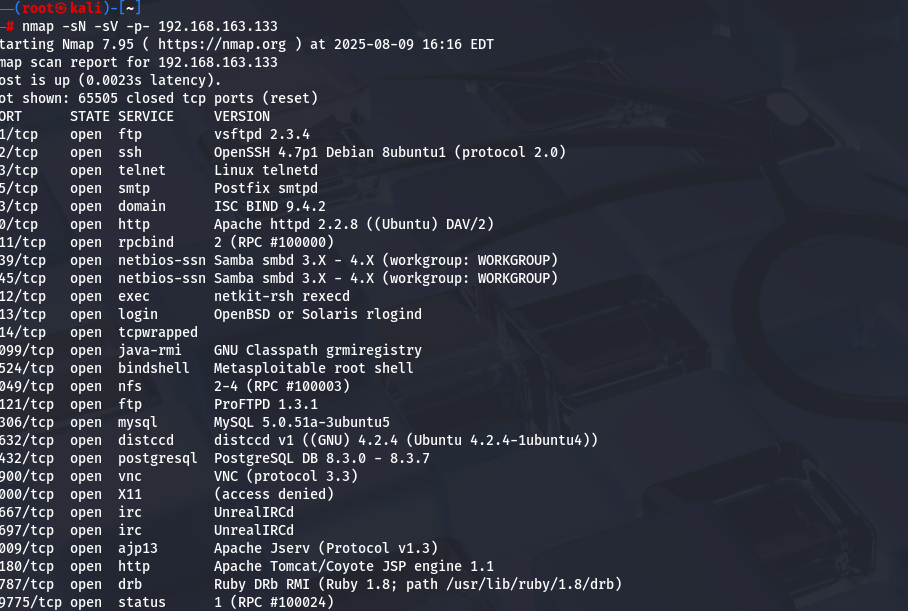
Another basic tool that can be used to gain a good understanding of your current security posture is Nmap. This network security tool scans your entire network for open ports and services, then reports them back to you. Nmap is traditionally used on the command line, but a graphical version, called Zenmap, also exists. Both are free tools and can be downloaded together from the official Nmap website.
The final free tool this framework recommends for basic scanning is OpenVAS, also referred to as Greenbone Community Edition. This open-source vulnerability scanner scans each host on your local network and reports back on the exact vulnerabilities detected on hosts. The vulnerabilities are provided in CVE format, allowing you to research the vulnerabilities online, often finding the exact remediation directions for them. Installing OpenVAS is a bit more difficult than the previous two programs. It is recommended that you use a Linux system, either dedicated or on a virtual machine connected directly to your network. Following this tutorial will help guide you through the process.
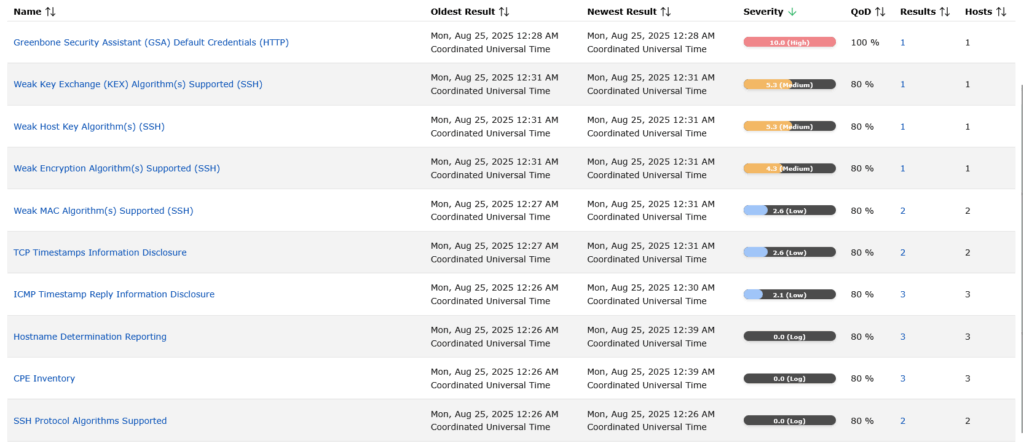
These three simple scans can provide a wealth of information on any present security vulnerabilities and errors on your business network. By collecting the results of the scans and reviewing them with your cybersecurity team, you can begin finding the necessary resources for remediation.