One of the most common traps small business owners fall into is not having any kind of plan and lifecycle for their devices. Computer systems are the backbone of many business operations, with many workplaces using computer systems on a 9-5 basis every day of the work week. With computer systems being so important and requiring regular care, there needs to be some sort of plan for when devices will be retired, and brand new devices will be brought in to take their place. What often happens is that businesses continue to use the computers they have for as long as possible, and before they know it they are stuck using old hardware that cannot support the newest operating systems. You will save a lot of pain by creating a plan and schedule for the retirement and introduction of devices.
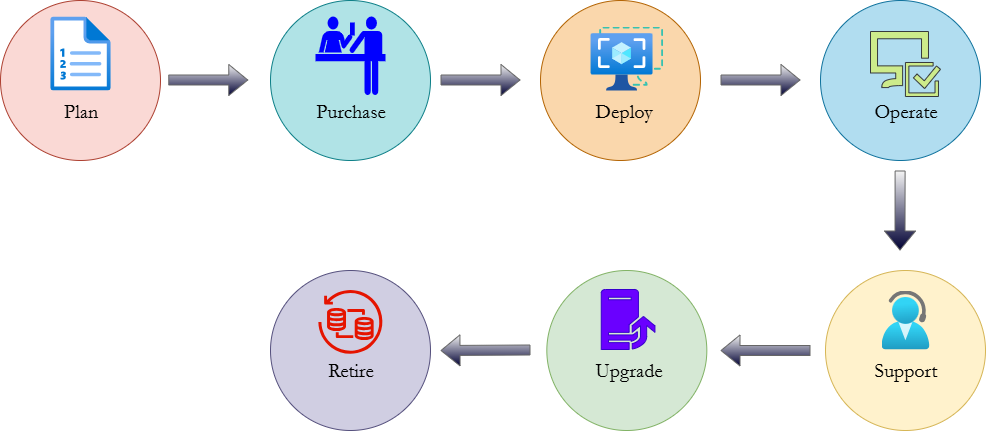
A Refresh Cycle defines a future period of time when information technology upgrades are implemented. Planning for refresh cycles will alleviate some of the difficulties encountered when first trying to upgrade your technology assets. Budgets, specific device orders, and integration plans can all be defined ahead of time to make the process much smoother. Depending on how heavily your business devices are used, the refresh cycle period could be anywhere from three to five years from the last upgrade. This also depends on the specifications of your devices and the amount of use they will be getting. Laptops with basic specs that will move across different locations will likely need a shorter refresh cycle of three years or so to keep hardware performance at its best. On the other hand, powerful desktops that are never moved can function well for a very long time. However, the key is not to assume that your devices can function forever and thus write off the need for a refresh plan. At a minimum, every business environment should plan for a device refresh cycle of a maximum of five years. At the five-year mark, you can perform a re-assessment of your devices to determine if their performance is sufficient enough to extend their use. This is going to get more difficult as operating system and application manufacturers set stricter minimum standards for installation, with many of them adopting what some refer to as Planned Obsolescence, where vendors intentionally make minimum requirements for functionality stricter to force customers to buy new devices regularly. However, if you do find that your workplace devices still perform to a high standard after your refresh date, then you can extend their usage. Microsoft has an Enterprise Desktop Lifecycle that governs the use of devices in organizations, from planning their purchasing to retiring them. You can sculpt your refresh cycle approach along the lines of that model for a sense of guidance.