
One of the biggest internal risks for a business is losing control of its cybersecurity surface. It is easy to setup a few computers, servers, and a network and just let it run. However a quality cybersecurity program requires constant monitoring and adaptation to stay ahead of new threats. Without a dedicated IT department in your organization, it can be difficult to keep up with these requirements.
A Security Information & Event Management system is a platform used to collect logs from your network assets and study them for any security information and events of interest. The insights the SIEM gathers from the network data are presented to the administrator in an organized dashboard containing visuals and statistics to help emphasize key findings. For example, a SIEM may provide a list of vulnerabilities discovered on systems ranked by severity. It may provide an analysis of your organization’s adherence to industry standards such as ISO 27001 or CIS. Many SIEMs provide advanced features to aid with threat hunting and incident response activities.
The goal of a SIEM is to make key cybersecurity findings about your organization’s network easy to access and understand. This way, less time is spent pouring through complex log files, and more time is spent preparing mitigation and incident response measures. The act of quickly assessing and prioritizing alerts for response is known as triage. In a standard cybersecurity department, there are several levels of triage with each level handled by a different employee, typically in some sort of hierarchy. Triage allows multiple levels of the organization to assess the alert information and apply the best response measures.
Enterprise grade SIEMs come with a price. Splunk is probably the most well known enterprise grade SIEM. For cloud based organizations, Microsoft Sentinel has risen as a solid choice. Sentinel also provides Security Orchestration and Response (SOAR) capabilities. SOAR provides automated triage and incident response capabilities to help address serious alerts as soon as they are detected. However be advised that Microsoft Sentinel is limited to Microsoft infrastructure.
The price tag on most SIEMs rules them out for many small businesses. Wazuh is a great open-source SIEM that is accessible and easy to install on most small business networks. It can be installed as a Docker container, a virtual machine, or an extra machine with decent specs. Wazuh’s interface is also straightforward and easy to understand. If your business is comprised of more than three workstations, I highly recommend configuring Wazuh to make your cybersecurity surface more straightforward.
I have a Wazuh instance spun up for a web server I host. Let's take a look at some of the data provided by my SIEM.
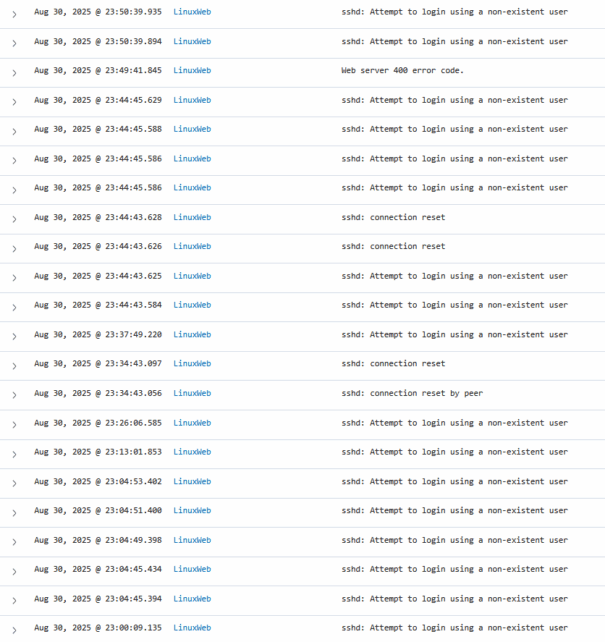
In the screenshot above, we can see a bunch of attempts at SSH access to the server. We also see a "Web server 400 error code" logged near the top. Let's expand that and look deeper.
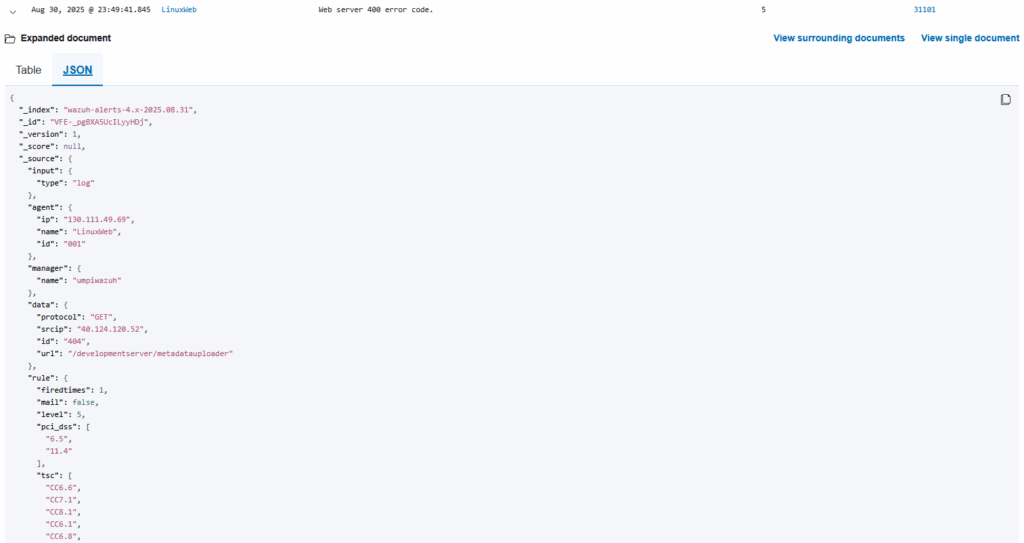
We see the JSON-formatted transcript of the 400 error event. I could read through this and figure out the details, but let's run the JSON output through ChatGPT instead.
 Loading...

 Reload document
  Open in new tab
 We learn that somebody in Texas is running an automated scanner, and my web server was probed by it. The scanner made a GET request against the server, but only received a 404 error. The file they were looking for was not found.
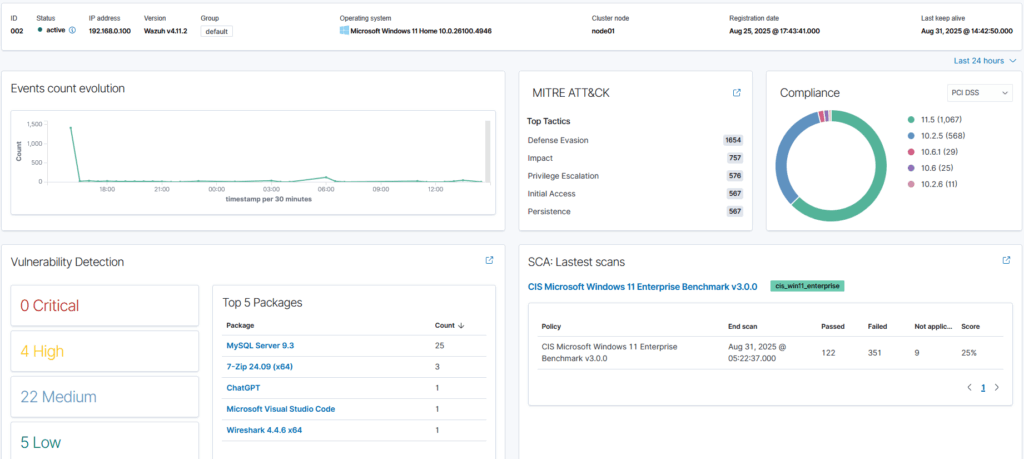
On my personal home Wazuh SIEM, I have my desktop and laptop connected. If I select my laptop for investigation, I am presented with a ton of different features on the dashboard.
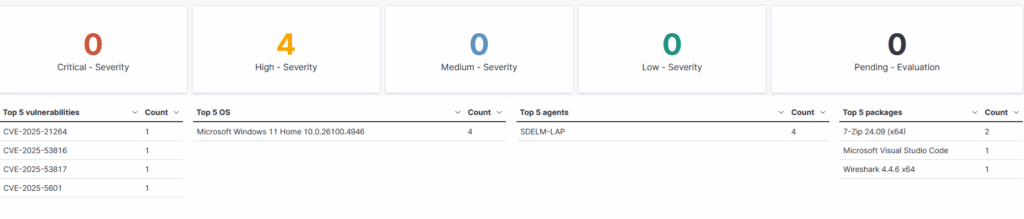
Looking into Vulnerabilities, I can see the detected CVE's and the corresponding packages that have triggered them.
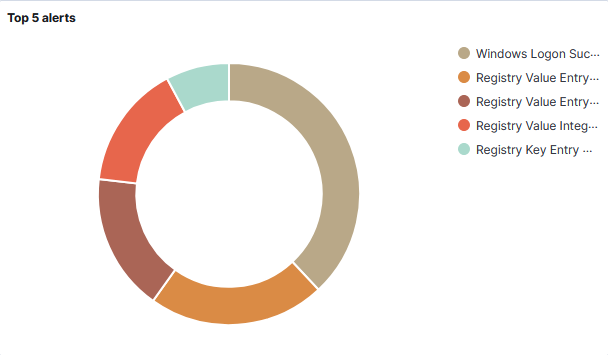
Under Threat Hunting, I am provided with graphics that give insights into some of the activity on my laptop. The Top 5 alerts graphic shows that my most common activity is logging into the laptop.
These are just a few examples of the features provided in Wazuh. If you have concerns about activity on your business devices, a Wazuh SIEM may be the perfect solution for you.