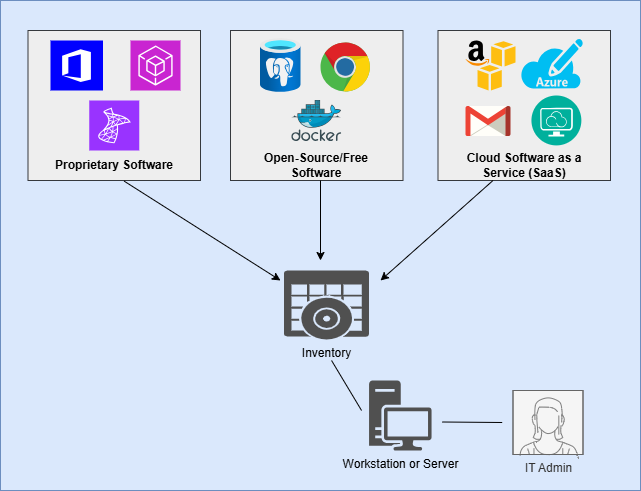
Software is the technology that permits businesses to perform their daily workflows and generate results. Businesses usually use many different pieces of software to power their workflows, each with its own special features and configuration options. Once upon a time, software uniformly came on media like DVDs and flash drives, which administrators would connect to each computer for installation on the local operating system. Today, however, most organizations use a mix of these local software programs and third-party hosted cloud programs. Cloud-hosted software is known as Software as a Service (SaaS). Businesses also frequently use a mix of open-source and proprietary programs.
Keeping your business software well-maintained and secure is essential for ensuring the safety of your business data and workflow efficiency. This includes performing tasks such as managing licenses, installing patches, and devising a solution for identity and access management on each piece of software. Poorly maintained and vulnerable software gives threat actors huge advantages in trying to compromise your digital infrastructure. With large volumes of sensitive data now flowing out to SaaS programs over the Internet, the attack surface for software is larger than ever.
Before planning and implementing security controls for software, it is important to conduct a thorough inventory of all software being used in your business environment. Both on-premises and SaaS programs need to be included in the inventory. Just as with the hardware asset inventory, there are a number of quality programs available on the Internet to automate and organize most of the inventory for you. However, if you are looking for a free and basic method, a basic spreadsheet template is provided below for free. Keep in mind that doing a manual inventory will require investigating each device and platform thoroughly to track each piece of software being utilized.
The following attributes should be recorded and input into the inventory for each piece of software in your environment:
- Software Title
- Business Purpose
- Platform (on-prem vs cloud)
- Developer/Publisher
- Acquisition Date
- Install/First-Use Date
- Length of Use (to date)
- URL
- App Store(s)
- Current Version & Build
- End of Life (EoL)/End of Support (EoS) Date
- Decommission Date
- Licensing Info
- Number of Licenses